
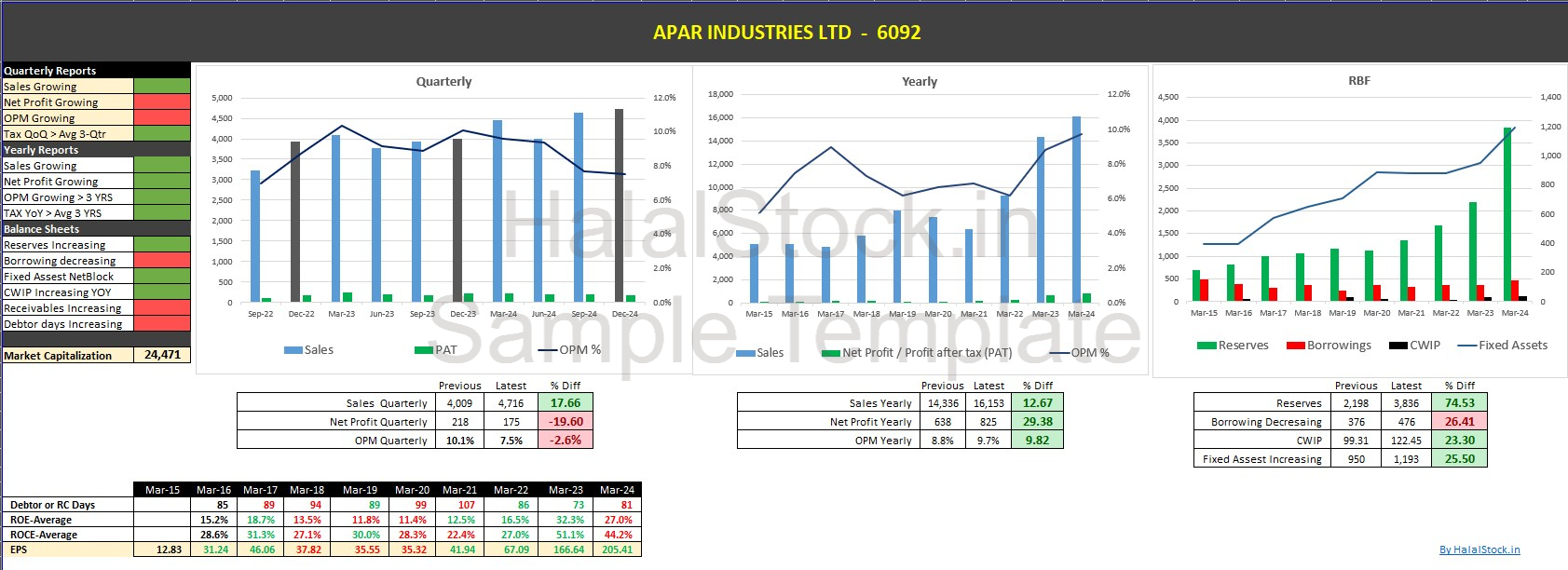
At HalalStock.in, we have created a powerful Excel template compatible with Screener.in that lets you quickly analyze a company’s financial performance — all in one place.
This user-friendly template gives you a snapshot view of key financial metrics, including:
📅 Quarterly performance
📈 Year-on-Year (YoY) growth
📊 Multi-year balance sheet overview
🧮 Key ratios and trends
This tool is perfect for investors who want a quick, yet deep understanding of how a stock is performing across timeframes.
Designed with Shariah-compliant investing in mind
No technical skills required – just upload it to Screener.in
Saves time with structured, visual data points
Helps in filtering ethically sound investments
Click the link below to download the Excel template and start analyzing stocks effectively:
.
Screener provides a powerful “Export to Excel” feature that provides the company data in an Excel file. It also allows you to upload your own Excel models back on the website. Screener exports the data in your customised format if you upload your own Excel sheets.
This upload feature can automate much of your analysis work.
Let’s open NESTLE on Screener. Click on Export to Excel.

Let us add Median PE (price to earnings ratio) of last 10 years to the sheet.
A21=MEDIAN(B14:L14)
Now Save the sheet and upload it on Screener: www.screener.in/excel/

Wow! You have automated this workflow. Now whenever you will click on Export to Excel for any company, it will remember to show your Median PE.
Lets open INFOSYS to check it out.

At HalalStock.in, our mission is to empower investors with tools that align with Islamic finance principles. This template is just one of the many resources we provide to help you make well-informed, Shariah-compliant investment decisions.